Selling Online from the Cayman Islands: What Nobody Tells You First
Duty at checkout, shipping that costs more than the item, and the case for a catalogue with no checkout at all. E-commerce here is not e-commerce anywhere else.
Someone messages your shop on a Sunday night asking if they can buy the thing in the third photo. You reply that they can come in on Monday. They don’t come in. That exchange repeats often enough that you decide it’s time to sell online.
Then you start reading, and everything you find was written for a business in Ohio or Manchester. It assumes a courier collects from your door, that your bank talks to your checkout, that customers know the shipping cost before they click. None of that holds cleanly here. What follows is the order we work through with clients in Cayman.
First decide whether you are shipping anything at all
Grand Cayman is small. From George Town, most of the island is a short drive. That single fact changes the shape of the whole project, and it’s the thing generic e-commerce advice cannot tell you.
Three models, and they are not variations on one thing — they are three different businesses:
- Collect in store. The customer pays or reserves online, then walks in. No packaging, no courier, no delivery risk. They often buy something else while they’re there.
- Local delivery. You, a staff member or a rider drops it off. Costs are known, the route is short, and a problem is a phone call rather than a claim.
- Overseas shipping. A different operation entirely. Courier accounts, export paperwork, packaging that survives a plane, and returns that cost more than the item.
Most small retailers here assume they need the third, because that’s what “e-commerce” means in every article they’ve read. In practice the first two cover what local customers want, and they’re the only two you can run well from day one. Overseas shipping earns its place when you sell something people cannot get where they live: a Cayman-made product, a brand not distributed in their country, something a visitor wants again after flying home. If you can’t name that reason in a sentence, leave it off.
Duty is the line item that ends the sale
Import duty is the most common way an online order here goes wrong, and it usually goes wrong silently.
Two situations get confused. The first: you import stock to sell. That duty is your cost, paid at the border and already inside your shelf price. Nothing to disclose — the customer is buying locally.
The second: a customer buys something that crosses a border because of the order. They’re in Cayman buying from an overseas seller, or overseas buying from you. Someone pays duty on arrival, and if you haven’t said who, they find out when a courier asks them for money. It stops feeling like a government fee and starts feeling like you hid something.
You have two honest options. Pick one and write it down:
- You pay it and build it into the price. The number on the product page is the number they pay. Simplest to understand, hardest to price.
- They pay it on collection or delivery. Cheaper on the page, but say so in plain words before the payment step, not in a policy page nobody opens.
We deliberately don’t publish duty rates. They depend on the category of goods and they change, and a rate sitting in a blog post from last year is worse than no rate, because people quote it to customers. Check the current tariff with Cayman Islands Customs and Border Control for the goods you sell, then put your own sentence on your site and keep it current. It can be short: “Prices include duty — nothing to pay on collection.” Or, “Orders shipped outside Cayman may attract duty or tax in the destination country; that cost is the customer’s.” One line, above the payment button, prevents a permanent category of complaint.
Payments take longer to sort out than the website
This is the part that stalls projects. Most checkout platforms and payment gateways keep a list of countries where they will accept a merchant — not where the customer can be, where you can be. Cayman is frequently not on those lists, or is on them with conditions. So the shop is finished, the photos are up, and the business waits weeks on a merchant application.
Start payments before design, before photos. Ask the provider these in writing, because the answers change what you build:
- Do you accept a merchant registered and banking in the Cayman Islands?
- What currency does the customer see at checkout, and what currency do you settle in? With KYD and USD both circulating here, a price can be technically correct and still confuse someone.
- What appears on the customer’s card statement? An unfamiliar descriptor causes chargebacks from people who didn’t recognise their own purchase.
- How long from sale to money in your account?
- What happens on a dispute, and who handles it?
We won’t list which providers currently accept Cayman merchants, because that list would be wrong within months and someone would plan a business around it. Ask them directly and keep the email.
One more thing, slightly awkward to admit in an article about websites: plenty of local sales still close in a WhatsApp thread rather than at a checkout. We have no figure for that and won’t invent one; it’s what we watch happen with the businesses we build for. A “Reserve this item” button that opens a chat with the item name filled in will, for some shops, do more than a checkout: the customer wanted to ask one question before paying, and a checkout has nowhere to ask it.
The catalogue with no checkout is a real option, not a compromise
There is a version of an online shop with no cart at all. Every product has a page, a photo, a description, a price and an honest availability status. The buy step happens in the store, over the phone, or in a message.
For a lot of businesses here that isn’t a lesser version of e-commerce. It’s the correct answer. It takes payment processing off the critical path, removes refunds and chargebacks, and still does what customers came to do: find out whether you have it and what it costs before deciding whether to drive over.
It also fails for predictable reasons. A catalogue is wrong for you if customers buy the same standard items repeatedly, if you deliver as a matter of course, or if a meaningful part of your demand is people who can’t physically come in. Add checkout when one of those becomes true — not because a competitor has one.
Product pages have to be pages, not pictures of pages
Here is where a lot of otherwise good shops go invisible. Two patterns cause it.
The first is the PDF lookbook. Forty products in one file, one URL, prices set in a design tool. A search engine can index a PDF, but there’s no page to link to when a customer wants to send a friend one specific dress, no way to change one price without re-exporting the file, and on a phone it’s pinch-and-zoom.
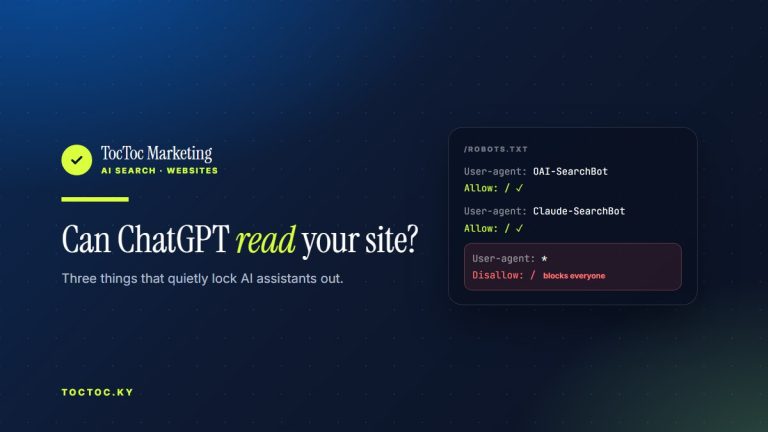
The second is the graphics grid: a page of tiles with the product name and price baked into each image. It looks tidy. To anything reading the page as text — a search engine, an assistant, a screen reader — those tiles are blank rectangles.
This is not theoretical. On 26 August 2026, a search for “why can’t AI read my menu” returned a Google AI Overview that used TocToc’s own two-second test and listed toctoc.ky as a source alongside Apple. The menu problem and the product-grid problem are the same: a price inside an image is not a price as far as software is concerned. AI answers are generated fresh and vary by wording, location and date, so that is one observation from one day, not a permanent state — but the mechanism underneath doesn’t move.
The fix is unglamorous. Each product gets its own URL. The name is the page heading. The price is text. Availability is text. The description is text, written by a person. Photos have real alt text. Do that and your products can be found, cited, linked and shared; skip it and they exist only for people already looking at your Instagram.
When every item is a quantity of one
Some shops here sell one of each thing: second-hand and consignment stock, handmade pieces, one-off imports. That breaks an assumption built into most shop software, which is written for a warehouse with forty of something in it. When it sells it is gone — no reorder, no backorder, no “ships in two weeks”.
Now picture the ordinary way availability gets managed: a toggle somebody updates by hand. It works for a week or two. Then comes a busy Saturday, a queue at the till, and the one-of-a-kind jacket sells at 11:04. The website still says available at 11:05, and on Sunday, because the person who could have changed it was serving customers. Meanwhile somebody drives across the island for that jacket. An oversold unique item can’t be fixed with a delay, only with a refund and an apology.
So the rule we apply is that availability has one source of truth, and it should be the till, because that’s the only place that always knows. The Conscious Closet’s site was built with the point of sale connected, so stock updates itself. That connection is worth more than any decision about how the page looks. If your till can’t do it, don’t display a live availability claim at all — say “in store as of this morning, call to confirm” and mean it.
Once availability is honest, you can state it in a format built for software. Schema.org Product markup is a block of JSON in the page source saying, unambiguously: this is a product, this is its price, this is the currency, this is whether you can buy it. Here is a valid example for a one-of-a-kind second-hand item, with the quantity of one and pickup as the delivery method.
<script type="application/ld+json">
{
  "@context": "https://schema.org",
  "@type": "Product",
  "name": "Linen Blazer, Sand, UK 12",
  "sku": "SKU-2481",
  "description": "Pre-loved unstructured linen blazer in sand. UK size 12. Excellent condition, no marks. One available.",
  "image": [
    "https://example.ky/images/sku-2481-front.jpg",
    "https://example.ky/images/sku-2481-detail.jpg"
  ],
  "itemCondition": "https://schema.org/UsedCondition",
  "offers": {
    "@type": "Offer",
    "url": "https://example.ky/shop/sku-2481-linen-blazer-sand-uk12/",
    "price": "85.00",
    "priceCurrency": "KYD",
    "availability": "https://schema.org/InStock",
    "itemCondition": "https://schema.org/UsedCondition",
    "inventoryLevel": {
      "@type": "QuantitativeValue",
      "value": 1
    },
    "availableDeliveryMethod": "http://purl.org/goodrelations/v1#DeliveryModePickUp",
    "seller": {
      "@type": "Organization",
      "name": "Your Shop Name"
    }
  }
}
</script>
Two caveats. Markup does not make a claim true — it makes it machine-readable. If availability says InStock and the jacket sold on Saturday, you have automated the wrong answer and spread it further, which is why the till connection comes first and the markup second.
And nobody outside the AI companies knows how much weight each assistant gives to structured data compared with plain page text. What is observable: text can be read, an image of text mostly cannot, and clean markup removes ambiguity. Anyone who tells you more than that is guessing.
Questions we get asked
Do I need Shopify, WooCommerce, or something custom?
Usually the wrong first question. What matters is which platform your point of sale can talk to, because stock accuracy is the hard part. If your till integrates cleanly with one and not the other, that has chosen for you. Ask your POS provider before you ask a web designer.
Can I just sell through Instagram?
You can, and plenty of businesses here do it profitably. The limitation is that there’s no product URL: nothing to link to, nothing for a search engine or an assistant to cite, and no record of your catalogue if the account is lost. Keep selling there, and also put the catalogue somewhere you own.
Should I ship to the United States?
Probably not in version one. You take on courier costs, export paperwork and the destination country’s duty and tax rules, plus returns, which for a small shop can wipe out the margin on several sales. Get local pickup and delivery running properly, then see whether anyone is asking.
We already have a website. Do we have to start again?
Often not. The first check is whether each product already has its own page with the price as text. If it does, you’re adding a layer to something that works. If your products live in a PDF or a grid of graphics, that part needs rebuilding — a smaller job than rebuilding a site.
Will this get my products recommended by ChatGPT or Google’s AI?
Nobody can promise that, and we don’t. AI answers are generated fresh and vary with how the question is phrased, where the person is and what day it is. What we can say is that TocToc’s work has influenced AI-generated local recommendations: in a session recorded on 21 August 2026, ChatGPT named two of our restaurant clients, Uncle Liu and Coconut Room, when asked where to eat on Seven Mile Beach. Ask again next week from a different device and the names may differ. Readable product pages are a precondition, not a guarantee.
Where to start this week
Pick the model: collect in store, local delivery, or ship. Write your duty sentence. Ask a payment provider whether they accept a Cayman merchant. Decide where availability will come from. Then, and only then, worry about how the shop looks.
If you want a read on where your current site stands — whether products are crawlable pages, how they score on Core Web Vitals, whether an assistant could read them at all — run it through the free checker at toctoc.ky/seo-checker before you spend anything.
And if you want the whole thing built — the catalogue, the stock that stays honest, the till talking to the website — that is custom web development for Cayman businesses, and website design and development in Grand Cayman for everything around it.

Written by
Andre Gutierrez
Toc Toc Marketing builds websites in the Cayman Islands that Google and AI assistants can read, understand and recommend.
Meet the team →